logo elektroda
logo elektroda
X
logo elektroda
REKLAMA
REKLAMA
Adblock/uBlockOrigin/AdGuard mogą powodować znikanie niektórych postów z powodu nowej reguły.

[Rozwiązano] Asus X571GT-AL265T – brak dźwięku, błąd Intel Smart Sound Technology OED po instalacji Windows 10

Sowa07 17 Wrz 2025 13:30 690 4
REKLAMA
  • #1 21692679
    Sowa07
    Poziom 7  
    Posty: 9
    Laptop ASUS X571GT-AL265T: po zainstalowaniu Windows 10 wraz ze wszystkimi sterownikami i aktualizacjami dźwięk nie działa.

    W Menedżerze urządzeń widnieje błąd „Intel Smart Sound Technology OED”.

    Kroki, które wykonałem i które nie rozwiązały problemu:
    - Instalacja sterowników z strony producenta
    - Program "Intel Driver & Support Assistant"
    - Aktualizacja BIOS-u do najnowszej wersji

    Testowo zainstalowałem system Linux (Ubuntu 24) i wszystko działa prawidłowo.
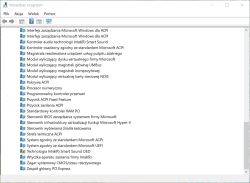
    Zrzut ekranu Menedżera urządzeń z błędem sterownika Intel Smart Sound OED

    AI: Czy w Menedżerze urządzeń oprócz błędu Intel Smart Sound Technology OED pojawiają się jeszcze jakieś inne nieznane urządzenia lub błędy?
    Nie.
    AI: Czy dźwięk działał poprawnie przed reinstalacją systemu Windows 10, czy problem pojawił się dopiero po instalacji?
    Problem pojawił się po instalacji nowego systemu Windows 10.
  • REKLAMA
  • #2 21692690
    lisek
    Serwisant RTV
    Posty: 39843
    Pomógł: 6329
    Ocena: 6840
    Częściowe wyjasnienie Link_ od Intel
    - Link_ Intel Smart Sound Technology Driver Win11


    Cytat:
    Intel Smart Sound Technology (Intel SST) OED may refer to the following:
    Intel(R) Smart Sound Technology (Intel(R) SST) OED driver. It is listed in the Windows update history as Intel Corporation — System — 9.21.0.2853. 124
    Intel Smart Sound Technology OED problem. The support and the drivers for Intel SST are provided by the different OEMs (original equipment manufacturers), such as Dell, HP, Asus, etc..


    Here are some possible solutions to the Intel Smart Sound Technology OED issues:
    - Updating the drivers. The Intel Smart Sound Technology driver can be updated in Windows 11 Device Manager.
    - Reinstalling the Intel Smart Sound Technology driver. To do that, the Intel(R) Smart Sound Technology (Intel(R) SST) OED should be found in Device Manager, right-clicked on it, and “Uninstall device” should be chosen. Then, the computer should be restarted, and the operating system will automatically reinstall the deleted driver.
    - Switching to Realtek HD Audio driver. If the issue is with a Dell or Lenovo laptop, the custom sound driver may be needed. Alternatively, the Realtek High-Definition audio driver for Windows 11 can be downloaded and installed.
    - Installing Intel Media driver. The latest version of the Intel MEDIA driver can be downloaded from the Microsoft update catalog page.
    - Replacing the driver with HD Audio controller. Windows installation can be made to disregard the current driver and use the generic High Definition Audio Controller driver.

    np. It is listed in the Windows update history as Intel Corporation — System — 9.21.0.2853 Link
  • REKLAMA
  • #3 21692696
    Sowa07
    Poziom 7  
    Posty: 9
    Nie do końca czaje o co chodzi.
  • REKLAMA
  • #4 21692704
    lisek
    Serwisant RTV
    Posty: 39843
    Pomógł: 6329
    Ocena: 6840
    Pozostaje serwis Asus

    To z forum Asus i ten problem Link
    Asus ten proble , rada MS Link

    Poczytaj zalecenia od HP Link
  • #5 21693745
    Sowa07
    Poziom 7  
    Posty: 9
    Udało się rozwiązać problem bez skomplikowanych operacji.

    Wystarczyło w menedżerze urządzeń, w zakładce "urządzenia systemowe", odnaleźć pozycję "kontroler audio technologii Intel(R) Smart Sound", następnie zaktualizować sterownik i ręcznie zmienić go na "kontroler zgodny ze standardem High Definition Audio".
REKLAMA