Najpierw podaj wersje tego routera DIR-615, z naklejki.
Jak załadujesz firmware z innej rewizji (rev.) to ci padnie na amen i zapomnij, że go sam ożywisz.
Tu masz link i opis jak załadować DD-WRT oraz jak przywrócić oryginalne firmware D-Linka: http://www.dd-wrt.com/wiki/index.php/DIR-615C .
Sekcja "How to restore to factory firmware":
You must use firefox for this to work. Internet explorer will NOT work!
1) Set your computer's ip manually to: 192.168.0.X (not 1) AND set your subnet mask to 255.255.255.0. (Auto IP will NOT work).
2) Unplug the power cable to the router
3) Press the reset button and plug in the power cable when the power led flashes orange (about 15 seconds) release the reset. go to 192.168.0.1. You will see the emergency mode upgrade screen.
4) Upload your original firmware and wait.at least five minutes. The orange button should stop flashing and the router will reboot.
I have confirmed that this method works.
A kolega wyżej chciał błysnąć znajomością zwrotów w języku francuskim, ale mu nie wyszło...
Dzięki , ale wszystko zrobiłem i tak nie wyszło :-/ to szkoda niestety bo ja zobaczymy na serwisów routery naprawa usunać dd wrt
Pozdrawiam , sorry jestem głuchy inaczej pisanie język







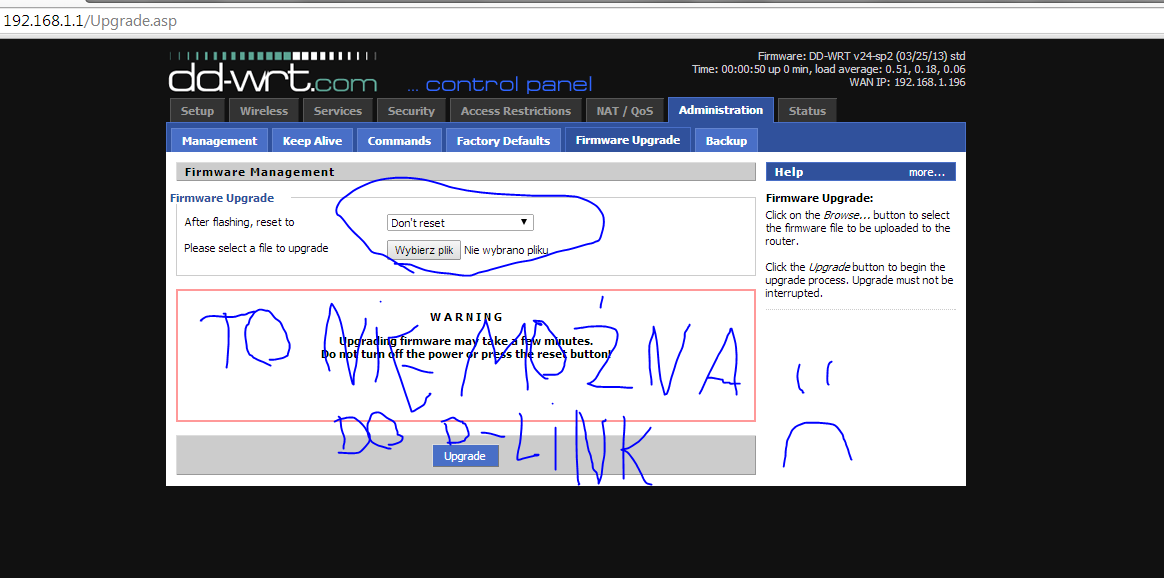

 , ale wszystko zrobiłem i tak nie wyszło :-/ to szkoda niestety bo ja zobaczymy na serwisów routery naprawa usunać dd wrt
