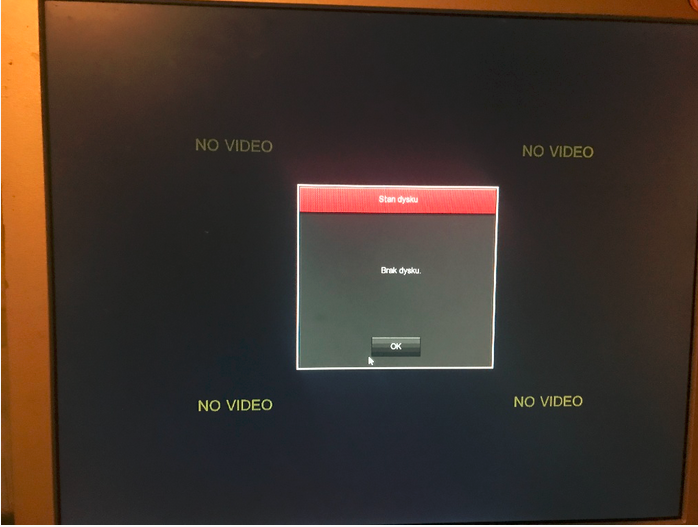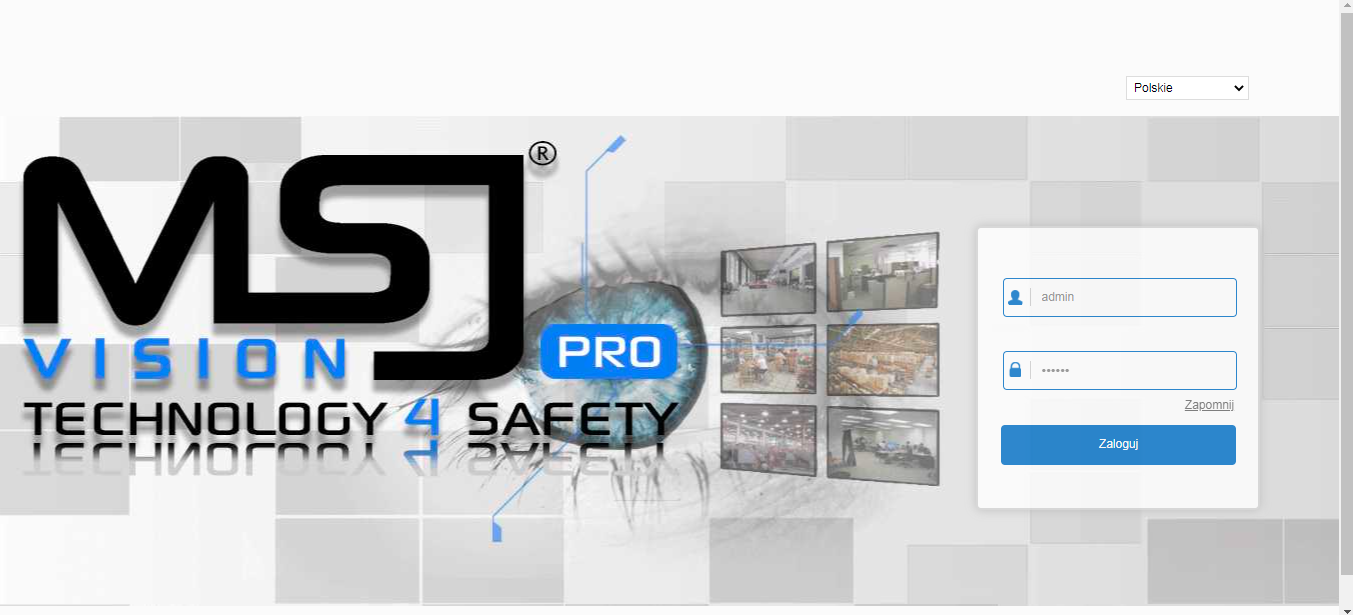
Koledzy posiadam rejestrator MSJ-NVR-6116 PRO lecz z hasłem administratora.
Producent w Polsce nie odpowiada, oczywiście to brand chińczyka.
Szukałem wszędzie wsadu do flash'a lecz nigdzie nie ma, a jak już jest to albo w wersji 9 kamer, a jak znalazłem w wersji 16 kamer to na flash 256 oryginalnie na płycie jest 128. Kupiłem nawet 256 i niestety wtedy rejestrator startuje z szarymi kreskami na monitorze.
Żadne znane mi opcje resetu nie działają, brak zworki na płycie, wyjęcie baterii nie pomaga, softy z hasłami nie działają.
Udało mi się połączyć i zobaczyć konsole po RS232, jest to system na Linux'ie i da się podobno jakoś z tego poziomu wyciągnąć bądź zresetować hasło.
Tutaj zamieszczam co pokazuje konsola:
A tutaj foto płyty:
Jeśli tematu umieściłem na złym forum prosze administratora o przekierowanie na włąściwy dział.
Producent w Polsce nie odpowiada, oczywiście to brand chińczyka.
Szukałem wszędzie wsadu do flash'a lecz nigdzie nie ma, a jak już jest to albo w wersji 9 kamer, a jak znalazłem w wersji 16 kamer to na flash 256 oryginalnie na płycie jest 128. Kupiłem nawet 256 i niestety wtedy rejestrator startuje z szarymi kreskami na monitorze.
Żadne znane mi opcje resetu nie działają, brak zworki na płycie, wyjęcie baterii nie pomaga, softy z hasłami nie działają.
Udało mi się połączyć i zobaczyć konsole po RS232, jest to system na Linux'ie i da się podobno jakoś z tego poziomu wyciągnąć bądź zresetować hasło.
Tutaj zamieszczam co pokazuje konsola:
System startup

U-Boot 2010.06 (Nov 29 2018 - 20:36:15)

Check Flash Memory Controller v100 ... Found
SPI Nor(cs 0) ID: 0xc2 0x20 0x18
Block:64KB Chip:16MB Name:"MX25L128XX"
SPI Nor total size: 16MB
Cannot found a valid SPI Nand Device
*** Warning - bad CRC, using default environment

In:    serial
Out:   serial
Err:   serial
16384 KiB hi_fmc at 0:0 is now current device

jpeg decoding ...
<<addr=0x82000000, size=0x20000, vobuf=0x9f000000>>
mmu_enable
<<imgwidth=1280, imgheight=720, linebytes=2560>>
decode success!!!!
decode jpeg!
stMaxRect.u32Width:1280, stMaxRect.u32Height:720.
HDMI_INFO:Hdmi_PixelFreqSearch[146] ,u32Fmt8.
dev 0 opened!
graphic layer 0 opened!
USB:   scanning bus for devices... 1 USB Device(s) found
0 Storage Device(s) found
Hit any key to stop autoboot:  0
16384 KiB hi_fmc at 0:0 is now current device


## Booting kernel from Legacy Image at 82000000 ...
   Image Name:   Linux-4.9.37
   Image Type:   ARM Linux Kernel Image (uncompressed)
   Data Size:    2831631 Bytes = 2.7 MiB
   Load Address: 80008000
   Entry Point:  80008000
   Loading Kernel Image ... OK
OK

Starting kernel ...

Booting Linux on physical CPU 0x0
Linux version 4.9.37 (root@rong-virtual-machine) (gcc version 6.2.1 20161016 (Hisilicon_v510_20171111) ) #3 Fri Oct 26 11:01:40 CST 2018
CPU: ARMv7 Processor [410fc075] revision 5 (ARMv7), cr=10c53c7d
CPU: div instructions available: patching division code
CPU: PIPT / VIPT nonaliasing data cache, VIPT aliasing instruction cache
OF: fdt:Machine model: Hisilicon HI3536DV100 DEMO Board
Memory policy: Data cache writeback
CPU: All CPU(s) started in SVC mode.
Built 1 zonelists in Zone order, mobility grouping on.  Total pages: 65024
Kernel command line: mem=256M console=ttyAMA0,115200 initrd=0x82320000,0x3C0000 root=/dev/ram0   mtdparts=hi_sfc:384K(boot),3200K(kernel),3840K(rootfs),4736K(app),2560K(www),1536K(data),128K(logo)
PID hash table entries: 1024 (order: 0, 4096 bytes)
Dentry cache hash table entries: 32768 (order: 5, 131072 bytes)
Inode-cache hash table entries: 16384 (order: 4, 65536 bytes)
Memory: 250196K/262144K available (4120K kernel code, 160K rwdata, 1040K rodata, 176K init, 220K bss, 11948K reserved, 0K cma-reserved)
Virtual kernel memory layout:
    vector  : 0xffff0000 - 0xffff1000   (   4 kB)
    fixmap  : 0xffc00000 - 0xfff00000   (3072 kB)
    vmalloc : 0xd0800000 - 0xff800000   ( 752 MB)
    lowmem  : 0xc0000000 - 0xd0000000   ( 256 MB)
    modules : 0xbf000000 - 0xc0000000   (  16 MB)
      .text : 0xc0008000 - 0xc040e248   (4121 kB)
      .init : 0xc0514000 - 0xc0540000   ( 176 kB)
      .data : 0xc0540000 - 0xc0568260   ( 161 kB)
       .bss : 0xc056a000 - 0xc05a1068   ( 221 kB)
SLUB: HWalign=64, Order=0-3, MinObjects=0, CPUs=1, Nodes=1
NR_IRQS:16 nr_irqs:16 16
clocksource: arm,sp804: mask: 0xffffffff max_cycles: 0xffffffff, max_idle_ns: 637086815595 ns
sched_clock: 32 bits at 3000kHz, resolution 333ns, wraps every 715827882841ns
Console: colour dummy device 80x30
Calibrating delay loop... 1699.02 BogoMIPS (lpj=8495104)
pid_max: default: 32768 minimum: 301
Mount-cache hash table entries: 1024 (order: 0, 4096 bytes)
Mountpoint-cache hash table entries: 1024 (order: 0, 4096 bytes)
CPU: Testing write buffer coherency: ok
Setting up static identity map for 0x80008200 - 0x80008258
VFP support v0.3: implementor 41 architecture 2 part 30 variant 7 rev 5
clocksource: jiffies: mask: 0xffffffff max_cycles: 0xffffffff, max_idle_ns: 19112604462750000 ns
futex hash table entries: 256 (order: -1, 3072 bytes)
pinctrl core: initialized pinctrl subsystem
NET: Registered protocol family 16
DMA: preallocated 256 KiB pool for atomic coherent allocations
Serial: AMBA PL011 UART driver
12080000.uart: ttyAMA0 at MMIO 0x12080000 (irq = 18, base_baud = 0) is a PL011 rev2
console [ttyAMA0] enabled
SCSI subsystem initialized
usbcore: registered new interface driver usbfs
usbcore: registered new interface driver hub
usbcore: registered new device driver usb
clocksource: Switched to clocksource arm,sp804
NET: Registered protocol family 2
TCP established hash table entries: 2048 (order: 1, 8192 bytes)
TCP bind hash table entries: 2048 (order: 1, 8192 bytes)
TCP: Hash tables configured (established 2048 bind 2048)
UDP hash table entries: 256 (order: 0, 4096 bytes)
UDP-Lite hash table entries: 256 (order: 0, 4096 bytes)
NET: Registered protocol family 1
RPC: Registered named UNIX socket transport module.
RPC: Registered udp transport module.
RPC: Registered tcp transport module.
RPC: Registered tcp NFSv4.1 backchannel transport module.
Trying to unpack rootfs image as initramfs...
rootfs image is not initramfs (junk in compressed archive); looks like an initrd
Freeing initrd memory: 3840K (c2320000 - c26e0000)
workingset: timestamp_bits=30 max_order=16 bucket_order=0
squashfs: version 4.0 (2009/01/31) Phillip Lougher
NFS: Registering the id_resolver key type
Key type id_resolver registered
Key type id_legacy registered
jffs2: version 2.2. (NAND) © 2001-2006 Red Hat, Inc.
fuse init (API version 7.26)
Block layer SCSI generic (bsg) driver version 0.4 loaded (major 252)
io scheduler noop registered
io scheduler deadline registered (default)
io scheduler cfq registered
pinctrl-single 120f0000.pinmux: 234 pins at pa fe1f0000 size 936
pl061_gpio 12150000.gpio_chip: PL061 GPIO chip @0x12150000 registered
pl061_gpio 12160000.gpio_chip: PL061 GPIO chip @0x12160000 registered
pl061_gpio 12170000.gpio_chip: PL061 GPIO chip @0x12170000 registered
pl061_gpio 12180000.gpio_chip: PL061 GPIO chip @0x12180000 registered
pl061_gpio 12190000.gpio_chip: PL061 GPIO chip @0x12190000 registered
pl061_gpio 121a0000.gpio_chip: PL061 GPIO chip @0x121a0000 registered
brd: module loaded
ahci 10030000.sata: SSS flag set, parallel bus scan disabled
ahci 10030000.sata: AHCI 0001.0300 32 slots 1 ports 6 Gbps 0x1 impl platform mode
ahci 10030000.sata: flags: ncq sntf stag pm led clo only pmp fbs slum part ccc sxs boh
scsi host0: ahci
ata1: SATA max UDMA/133 mmio [mem 0x10030000-0x10030fff] port 0x100 irq 19
hisi-sfc hisi_spi_nor.0: all blocks is unlocked.
hisi-sfc hisi_spi_nor.0: mx25l12835f (16384 Kbytes)
7 cmdlinepart partitions found on MTD device hi_sfc
7 cmdlinepart partitions found on MTD device hi_sfc
Creating 7 MTD partitions on "hi_sfc":
0x000000000000-0x000000060000 : "boot"
0x000000060000-0x000000380000 : "kernel"
0x000000380000-0x000000740000 : "rootfs"
0x000000740000-0x000000be0000 : "app"
0x000000be0000-0x000000e60000 : "www"
0x000000e60000-0x000000fe0000 : "data"
0x000000fe0000-0x000001000000 : "logo"
FEPHY:addr=1, la_am=0xd, ldo_am=0x4, r_tuning=0x1e
libphy: hisi_femac_mii_bus: probed
libphy: Fixed MDIO Bus: probed
ata1: SATA link down (SStatus 0 SControl 300)
Generic PHY 10011100.mdio:01: attached PHY driver [Generic PHY] (mii_bus:phy_addr=10011100.mdio:01, irq=-1)
phy_id=0x20669901, phy_mode=mii
hisi-femac 10010000.ethernet: using random MAC address 2e:6e:f5:57:a3:da
ehci_hcd: USB 2.0 'Enhanced' Host Controller (EHCI) Driver
ehci-platform: EHCI generic platform driver
ehci-platform 11010000.ehci: EHCI Host Controller
ehci-platform 11010000.ehci: new USB bus registered, assigned bus number 1
ehci-platform 11010000.ehci: irq 21, io mem 0x11010000
ehci-platform 11010000.ehci: USB 2.0 started, EHCI 1.00
hub 1-0:1.0: USB hub found
hub 1-0:1.0: 2 ports detected
ohci_hcd: USB 1.1 'Open' Host Controller (OHCI) Driver
ohci-platform: OHCI generic platform driver
ohci-platform 11000000.ohci: Generic Platform OHCI controller
ohci-platform 11000000.ohci: new USB bus registered, assigned bus number 2
ohci-platform 11000000.ohci: irq 22, io mem 0x11000000
hub 2-0:1.0: USB hub found
hub 2-0:1.0: 2 ports detected
usbcore: registered new interface driver usb-storage
mousedev: PS/2 mouse device common for all mice
hibvt_rtc 120b0000.rtc: rtc core: registered 120b0000.rtc as rtc0
hibvt_rtc 120b0000.rtc: RTC driver for hibvt enabled
i2c /dev entries driver
hibvt-i2c 120c0000.i2c: hibvt-i2c0@100000hz registered
usbcore: registered new interface driver usbhid
usbhid: USB HID core driver
hisi-dmac 11020000.hidma-controller: hidmac probe!
Initializing XFRM netlink socket
NET: Registered protocol family 17
NET: Registered protocol family 15
Key type dns_resolver registered
hibvt_rtc 120b0000.rtc: setting system clock to 1970-01-01 00:13:23 UTC (803)
RAMDISK: squashfs filesystem found at block 0
RAMDISK: Loading 3685KiB [1 disk] into ram disk... done.
VFS: Mounted root (squashfs filesystem) readonly on device 1:0.
Freeing unused kernel memory: 176K (c0514000 - c0540000)
This architecture does not have kernel memory protection.

            _ _ _ _ _ _ _ _ _ _ _ _
            \  _  _   _  _ _ ___
            / /__/ \ |_/
           / __   /  -  _ ___
          / /  / /  / /
  _ _ _ _/ /  /  \_/  \_ ______
___________\___\__________________

[RCS]: /etc/init.d/S00devs
[RCS]: /etc/init.d/S01udev
random: fast init done
[RCS]: /etc/init.d/S80network
mmz_start: 0x90000000, mmz_size: 256M
sys_config: loading out-of-tree module taints kernel.
load sys_config.ko for ...OK!
Module himedia: init ok
Hisilicon Media Memory Zone Manager
hi_osal 1.0 init success!
hi3536dv100_base: module license 'Proprietary' taints kernel.
Disabling lock debugging due to kernel taint
load base.ko ... OK!
load sys.ko ...OK!
load vdec.ko ....OK!
load vdh firmware.ko OK
load jpegd.ko ....OK!
load tde.ko ...OK!
load region.ko ....OK!
load vgs.ko ...OK!
load vpss.ko ...OK!
load vou.ko OK!
load hifb.ko OK!
load hdmi.ko OK!
load venc.ko ...OK!
load chnl.ko ...OK!
load jpege.ko ...OK!
exFAT: Version 1.2.9
Hisilicon Watchdog Timer: 0.01 initialized. default_margin=60 sec (nowayout= 1, nodeamon= 0)
gpio_addr_start = 0x12150000,gpio_used_num = 6
GPIO[0],BASE_ADDR = 0x12150000,VIRTUAL_ADDR = 0xfe250000
GPIO[1],BASE_ADDR = 0x12160000,VIRTUAL_ADDR = 0xfe260000
GPIO[2],BASE_ADDR = 0x12170000,VIRTUAL_ADDR = 0xfe270000
GPIO[3],BASE_ADDR = 0x12180000,VIRTUAL_ADDR = 0xfe280000
GPIO[4],BASE_ADDR = 0x12190000,VIRTUAL_ADDR = 0xfe290000
GPIO[5],BASE_ADDR = 0x121a0000,VIRTUAL_ADDR = 0xfe2a0000
load aio.ko OK!
load ai.ko OK!
load ao.ko OK!
load aenc.ko OK!
load adec.ko OK!
load acodec.ko OK!
=== Init OK ===
Welcome to HiLinux.
 app start
(none) login: there   isn't   demo   process!
killall: demo: no process killed
killall: main_gui: no process killed
killall: P2P_Danale: no process killed
killall: P2P_FreeIp: no process killed
killall: demo: no process killed
killall: main_gui: no process killed
killall: P2P_Danale: no process killed
killall: P2P_FreeIp: no process killed
---------> listen_sock = 4
>>>>>>>>>> listen_sock: 4
[src/myMalloc.c:initMeMalloc:596]:[0] main_addr = 0xb5ac2008
[src/myMalloc.c:initMeMalloc:596]:[1] main_addr = 0xb5910008
[src/myMalloc.c:initMeMalloc:596]:[2] main_addr = 0xb575e008
[src/myMalloc.c:initMeMalloc:596]:[3] main_addr = 0xb55ac008
[src/myMalloc.c:initMeMalloc:596]:[4] main_addr = 0xb53fa008
[src/myMalloc.c:initMeMalloc:596]:[5] main_addr = 0xb5248008
[src/myMalloc.c:initMeMalloc:596]:[6] main_addr = 0xb5096008
[src/myMalloc.c:initMeMalloc:596]:[7] main_addr = 0xb4ee4008
[src/myMalloc.c:initMeMalloc:596]:[8] main_addr = 0xb4d32008
[src/myMalloc.c:initMeMalloc:596]:[9] main_addr = 0xb4b80008
[src/myMalloc.c:initMeMalloc:596]:[10] main_addr = 0xb49ce008
[src/myMalloc.c:initMeMalloc:596]:[11] main_addr = 0xb481c008
[src/myMalloc.c:initMeMalloc:596]:[12] main_addr = 0xb466a008
[src/myMalloc.c:initMeMalloc:596]:[13] main_addr = 0xb44b8008
[src/myMalloc.c:initMeMalloc:596]:[14] main_addr = 0xb4306008
[src/myMalloc.c:initMeMalloc:596]:[15] main_addr = 0xb4154008
[src/myMalloc.c:initMeMalloc:604]:[16]  sub_addr = 0xb40b2008
open /tmp/db_init_flag.txt failed!
[src/threadPool.c:threadPoolInit:89]:minThreadNum=128,maxThreadNum=128
udhcp client (v0.9.8) started
ifconfig: SIOCSIFADDR: No such device
Sending discover...
get ip error: Cannot assign requested address
get ip error: Cannot assign requested address
get ip error: Cannot assign requested address
server_sockaddr.sin_addr.s_addr =0
[01/Jan/2000:00:13:33 +0000] boa: server version Boa/0.94.13
[01/Jan/2000:00:13:33 +0000] boa: server built Dec 10 2018 at 14:06:47.
[01/Jan/2000:00:13:33 +0000] boa: starting server pid=969, port 80
dve count =0
get ip error: Cannot assign requested address
get ip error: Cannot assign requested address
get ip error: Cannot assign requested address
get ip error: Cannot assign requested address
get ip error: Cannot assign requested address
get ip error: Cannot assign requested address
get ip error: Cannot assign requested address
get ip error: Cannot assign requested address
get ip error: Cannot assign requested address
get ip error: Cannot assign requested address
get ip error: Cannot assign requested address
get ip error: Cannot assign requested address
Sending discover...
get ip error: Cannot assign requested address
get ip error: Cannot assign requested address
get ip error: Cannot assign requested address
get ip error: Cannot assign requested address
get ip error: Cannot assign requested address
get ip error: Cannot assign requested address
get ip error: Cannot assign requested address
get ip error: Cannot assign requested address
get ip error: Cannot assign requested address
get ip error: Cannot assign requested address
get ip error: Cannot assign requested address
get ip error: Cannot assign requested address
get ip error: Cannot assign requested address
get ip error: Cannot assign requested address
get ip error: Cannot assign requested address
=============mac:00001B030AF1,private_port:6000==========
#######userName is ,SerialNum is 8701433089637,enable=1,sslenable:1,ChannelNum=16
[00:13:36.550527] demo[969] LsDeviceInit:23:
[00:13:36.550615] demo[969] LsDeviceInit:33: SerialNum: 8701433089637, UserName: (nil)
[00:13:36.550660] demo[969] LsDeviceInit:39: Longsee device sdk version: 1.0.3.34, date: 2018.9.28
get ip error: Cannot assign requested address
udhcp client (v0.9.8) started
Sending discover...
[00:13:36.670880] CoreThread[1156] GroundMainLoop:151: CoreThread Start!
[00:13:36.671142] demo[969] LsDeviceCoreInit:68: Init openssl
[00:13:36.840015] DaemonThread[1160] GroundMainLoop:151: DaemonThread Start!
[00:13:36.840501] demo[969] LogProInit:110: strLogFileDir: /tmp/newp2p_log, nMaxFileSize: 128, bIsPrint: 0
[00:13:36.840684] demo[969] OpenLogFile:75: Log file name: /tmp/newp2p_log/longsee_dev_sdk_log_1.log
[00:13:36.840743] demo[969] SetLogLvlWriteFile:154: Set log level: 1
[00:13:36.840838] demo[969] LsDeviceCoreInit:130: strDevMac: 00001B030AF1
[00:13:36.840882] demo[969] LsDeviceCoreInit:132: nLocalTcpPort: 6000
[00:13:36.847569] CoreThread[1156] LocalTcpMgrCreate:290:
51 set 65536 bytes
[00:13:36.848322] demo[969] LocalResponseOpen:141: Redefine cJSON's malloc!
[00:13:36.848498] demo[969] LsDeviceStart:51: bUseSSL: 1
[00:13:36.848612] CoreThread[1156] AddEventToGround:456:
[00:13:36.848688] CoreThread[1156] LocalTcpMgrStart:272:
[00:13:36.848732] CoreThread[1156] LocalResponseAddEvent:107:
[00:13:36.848954] LiveShare[1159] BlockMainLoop:190: LiveShare Start!
[00:13:36.849076] CoreThread[1156] LsGetBindStaToWeb:61:
Semaphore id:0
Semaphore Set Value:1
[00:13:36.914516] RecSearch[1158] BlockMainLoop:190: RecSearch Start!
[00:13:36.920080] LogPro[1161] BlockMainLoop:190: LogPro Start!
[00:13:36.920376] TalkData[1157] BlockMainLoop:190: TalkData Start!
number one user is:admin
[src/DbSystem.c:DbSelect_UserCfg:3123]:18446744073709551615 18446744073709551615
[src/DbSystem.c:DbSelect_UserCfg:3147]:ret=256
get ip error: Cannot assign requested address
[src/rtspSLib.c:Rtsp_svrThread:2564] rtsp server start
[src/rtspSLib.c:Rtsp_svrThread:2568] rtsp server listen sock = 60
get ip error: Cannot assign requested address
get ip error: Cannot assign requested address
get ip error: Cannot assign requested address
create s_semid = 32769
add ---> fd:68, sock_count:1
SOCK_LIST_MOD   id.src:6, fd:68
get ip error: Cannot assign requested address
get ip error: Cannot assign requested address
get ip error: Cannot assign requested address
get ip error: Cannot assign requested address
get ip error: Cannot assign requested address
PRI_LOG src/privateConfigure.c-Prv_Send_Cmd-78:  Private_Protocol_CMDDelivery failed,   k=0,ip=192.168.0.122
PRI_LOG src/privateConfigure.c-Prv_SetIPCTimeDate-2230:  Prv_Send_Cmd failed
PRI_LOG src/privateConfigure.c-Prv_Send_Cmd-78:  Private_Protocol_CMDDelivery failed,   k=0,ip=192.168.0.123
PRI_LOG src/privateConfigure.c-Prv_SetIPCTimeDate-2230:  Prv_Send_Cmd failed
PRI_LOG src/privateConfigure.c-Prv_Send_Cmd-78:  Private_Protocol_CMDDelivery failed,   k=0,ip=192.168.0.125
PRI_LOG src/privateConfigure.c-Prv_SetIPCTimeDate-2230:  Prv_Send_Cmd failed
PRI_LOG src/privateConfigure.c-Prv_Send_Cmd-78:  Private_Protocol_CMDDelivery failed,   k=0,ip=192.168.0.124
PRI_LOG src/privateConfigure.c-Prv_SetIPCTimeDate-2230:  Prv_Send_Cmd failed
PRI_LOG src/privateConfigure.c-Prv_Send_Cmd-78:  Private_Protocol_CMDDelivery failed,   k=0,ip=192.168.0.126
PRI_LOG src/privateConfigure.c-Prv_SetIPCTimeDate-2230:  Prv_Send_Cmd failed
get ip error: Cannot assign requested address
-------[0][0] 192.168.0.122 PC_Login--------
-------[0][1] 192.168.0.122 PC_Login--------
-------[0][2] 192.168.0.122 PC_Login--------
-------[1][0] 192.168.0.123 PC_Login--------
-------[1][1] 192.168.0.123 PC_Login--------
-------[1][2] 192.168.0.123 PC_Login--------
-------[2][0] 192.168.0.125 PC_Login--------
-------[2][1] 192.168.0.125 PC_Login--------
-------[2][2] 192.168.0.125 PC_Login--------
-------[3][0] 192.168.0.124 PC_Login--------
-------[3][1] 192.168.0.124 PC_Login--------
-------[3][2] 192.168.0.124 PC_Login--------
-------[4][0] 192.168.0.126 PC_Login--------
-------[4][1] 192.168.0.126 PC_Login--------
-------[4][2] 192.168.0.126 PC_Login--------
get ip error: Cannot assign requested address
get ip error: Cannot assign requested address
get ip error: Cannot assign requested address
get ip error: Cannot assign requested address
get ip error: Cannot assign requested address
Sending discover...
get ip error: Cannot assign requested address
get ip error: Cannot assign requested address
get ip error: Cannot assign requested address
get ip error: Cannot assign requested address
get ip error: Cannot assign requested address
get ip error: Cannot assign requested address
get ip error: Cannot assign requested address
get ip error: Cannot assign requested address
get ip error: Cannot assign requested address
get ip error: Cannot assign requested address
get ip error: Cannot assign requested address
get ip error: Cannot assign requested address
get ip error: Cannot assign requested address
[src/ntp.c:SetNtpTime:676]:g_hostIp null
get ip error: Cannot assign requested address
get ip error: Cannot assign requested address
get ip error: Cannot assign requested address
udhcp client (v0.9.8) started
Sending discover...
poe_check == 0
[fbvideo.c:FB_SetVideoMode:1031]:yres_virtual=1024, pitch=2560,surfaces_len=12124160
get ip error: Cannot assign requested address
get ip error: Cannot assign requested address
[readbmp.c:is_soft2d_bmp:81]:button.bmp button /root/minigui/res/bmp/button.bmp
[readbmp.c:is_soft2d_bmp:81]:checkmark.bmp checkmark /root/minigui/res/bmp/checkmark.bmp
[readbmp.c:is_soft2d_bmp:81]:downarrow.bmp downarrow /root/minigui/res/bmp/downarrow.bmp
[readbmp.c:is_soft2d_bmp:81]:updownarrow.bmp downarrow /root/minigui/res/bmp/updownarrow.bmp
[readbmp.c:is_soft2d_bmp:81]:leftrightarrow.bmp leftrightarrow /root/minigui/res/bmp/leftrightarrow.bmp
[readbmp.c:is_soft2d_bmp:81]:arrows.bmp arrows.bmp /root/minigui/res/bmp/arrows.bmp
get ip error: Cannot assign requested address
[common/upgrade_online.c:HS_LoadOnlineUpgradeServerURL:96]:server_url=
get ip error: Cannot assign requested address
get ip error: Cannot assign requested address
get ip error: Cannot assign requested address
get ip error: Cannot assign requested address
mv: can't rename '/tmp/config.ini': No such file or directory
get ip error: Cannot assign requested address
get ip error: Cannot assign requested address
get ip error: Cannot assign requested address
get ip error: Cannot assign requested address
get ip error: Cannot assign requested address
get ip error: Cannot assign requested address
get ip error: Cannot assign requested address
get ip error: Cannot assign requested address
Sending discover...
get ip error: Cannot assign requested address
get ip error: Cannot assign requested address
get ip error: Cannot assign requested address
get ip error: Cannot assign requested address
get ip error: Cannot assign requested address
get ip error: Cannot assign requested address
get ip error: Cannot assign requested address
get ip error: Cannot assign requested address
get ip error: Cannot assign requested address
get ip error: Cannot assign requested address
get ip error: Cannot assign requested address
get ip error: Cannot assign requested address
get ip error: Cannot assign requested address
get ip error: Cannot assign requested address
get ip error: Cannot assign requested address
get ip error: Cannot assign requested address
udhcp client (v0.9.8) started
Sending discover...
get ip error: Cannot assign requested address
get ip error: Cannot assign requested address
get ip error: Cannot assign requested address
get ip error: Cannot assign requested address
get ip error: Cannot assign requested address
get ip error: Cannot assign requested address
get ip error: Cannot assign requested address
get ip error: Cannot assign requested address
get ip error: Cannot assign requested address
get ip error: Cannot assign requested address
get ip error: Cannot assign requested address
get ip error: Cannot assign requested address
get ip error: Cannot assign requested address
get ip error: Cannot assign requested address
get ip error: Cannot assign requested address
Sending discover...
get ip error: Cannot assign requested address
get ip error: Cannot assign requested address
get ip error: Cannot assign requested address
get ip error: Cannot assign requested address
111111111111size = 0 diskNo=0 diskState=0
get ip error: Cannot assign requested address
get ip error: Cannot assign requested address
get ip error: Cannot assign requested address
get ip error: Cannot assign requested address
get ip error: Cannot assign requested address
get ip error: Cannot assign requested address
get ip error: Cannot assign requested address
[common/status.c:RefreshEventStatus:941]:invalidateRect
get ip error: Cannot assign requested address
get ip error: Cannot assign requested address
get ip error: Cannot assign requested address
get ip error: Cannot assign requested address
get ip error: Cannot assign requested address
udhcp client (v0.9.8) started
Sending discover...
[src/pteClient.c:PcInviteStream:1187]:channel 1 stream 0 wait private respone time out 10
[src/pteClient.c:PcInviteStream:1187]:channel 2 stream 0 wait private respone time out 10
[src/pteClient.c:PcInviteStream:1187]:channel 2 stream 2 wait private respone time out 10
[src/pteClient.c:PcInviteStream:1187]:channel 4 stream 2 wait private respone time out 10
[src/pteClient.c:PcInviteStream:1187]:channel 0 stream 0 wait private respone time out 10
[src/pteClient.c:PcInviteStream:1187]:channel 1 stream 2 wait private respone time out 10
[src/pteClient.c:PcInviteStream:1187]:channel 2 stream 1 wait private respone time out 10
[src/pteClient.c:PcInviteStream:1187]:channel 0 stream 2 wait private respone time out 10
[src/pteClient.c:PcInviteStream:1187]:channel 4 stream 0 wait private respone time out 10
[src/pteClient.c:PcInviteStream:1187]:channel 4 stream 1 wait private respone time out 10
[src/pteClient.c:PcInviteStream:1187]:channel 3 stream 2 wait private respone time out 10
[src/pteClient.c:PcInviteStream:1187]:channel 3 stream 1 wait private respone time out 10
[src/pteClient.c:PcInviteStream:1187]:channel 1 stream 1 wait private respone time out 10
[src/pteClient.c:PcInviteStream:1187]:channel 0 stream 1 wait private respone time out 10
[src/pteClient.c:PcInviteStream:1187]:channel 3 stream 0 wait private respone time out 10
get ip error: Cannot assign requested address
get ip error: Cannot assign requested address
get ip error: Cannot assign requested address
get ip error: Cannot assign requested address
-------[1][0] 192.168.0.123 PC_Login--------
-------[1][2] 192.168.0.123 PC_Login--------
-------[4][0] 192.168.0.126 PC_Login--------
-------[3][0] 192.168.0.124 PC_Login--------
-------[3][2] 192.168.0.124 PC_Login--------
-------[4][1] 192.168.0.126 PC_Login--------
-------[3][1] 192.168.0.124 PC_Login--------
-------[0][1] 192.168.0.122 PC_Login--------
-------[0][0] 192.168.0.122 PC_Login--------
-------[0][2] 192.168.0.122 PC_Login--------
-------[1][1] 192.168.0.123 PC_Login--------
-------[2][0] 192.168.0.125 PC_Login--------
-------[2][1] 192.168.0.125 PC_Login--------
-------[2][2] 192.168.0.125 PC_Login--------
-------[4][2] 192.168.0.126 PC_Login--------
get ip error: Cannot assign requested address
get ip error: Cannot assign requested address
get ip error: Cannot assign requested address
get ip error: Cannot assign requested address
get ip error: Cannot assign requested address
get ip error: Cannot assign requested address
get ip error: Cannot assign requested address
get ip error: Cannot assign requested address
get ip error: Cannot assign requested address
get ip error: Cannot assign requested address
get ip error: Cannot assign requested address
Sending discover...
get ip error: Cannot assign requested address
get ip error: Cannot assign requested address
get ip error: Cannot assign requested address
get ip error: Cannot assign requested address
get ip error: Cannot assign requested address
get ip error: Cannot assign requested address
get ip error: Cannot assign requested address
get ip error: Cannot assign requested address
get ip error: Cannot assign requested address
get ip error: Cannot assign requested address
get ip error: Cannot assign requested address
get ip error: Cannot assign requested address
get ip error: Cannot assign requested address
get ip error: Cannot assign requested address
get ip error: Cannot assign requested address
get ip error: Cannot assign requested address
set ip(192:168:0:152) success!
set mask(255:255:255:0): success
set gw(192:168:0:1): success!
/bin/sh: /usr/sbin/adsl-status: not found
not find 'running' string!
setRoute(192.168.0.1): success
[00:13:51.860668] CoreThread[1156] UpnpDiscover:715: No dev serached!
[00:13:51.881086] CoreThread[1156] EvDnsGotRsp:91: Dns error: non-recoverable failure in name resolution
[00:13:52.190599] CoreThread[1156] ToWebRelease:514:
222222222 @@@@ONVIF_EventServerStart@@@@@@ 222222222222
[common/status.c:network_status_check:369]:init md status
[src/pteClient.c:PcInviteStream:1187]:channel 1 stream 2 wait private respone time out 10
[src/pteClient.c:PcInviteStream:1187]:channel 4 stream 1 wait private respone time out 10
[src/pteClient.c:PcInviteStream:1187]:channel 3 stream 0 wait private respone time out 10
[src/pteClient.c:PcInviteStream:1187]:channel 1 stream 0 wait private respone time out 10
[src/pteClient.c:PcInviteStream:1187]:channel 2 stream 1 wait private respone time out 10
[src/pteClient.c:PcInviteStream:1187]:channel 2 stream 2 wait private respone time out 10
[src/pteClient.c:PcInviteStream:1187]:channel 3 stream 2 wait private respone time out 10
[src/pteClient.c:PcInviteStream:1187]:channel 2 stream 0 wait private respone time out 10
[src/pteClient.c:PcInviteStream:1187]:channel 0 stream 0 wait private respone time out 10
[src/pteClient.c:PcInviteStream:1187]:channel 4 stream 0 wait private respone time out 10
[src/pteClient.c:PcInviteStream:1187]:channel 0 stream 2 wait private respone time out 10
[src/pteClient.c:PcInviteStream:1187]:channel 1 stream 1 wait private respone time out 10
[src/pteClient.c:PcInviteStream:1187]:channel 3 stream 1 wait private respone time out 10
[src/pteClient.c:PcInviteStream:1187]:channel 4 stream 2 wait private respone time out 10
[src/pteClient.c:PcInviteStream:1187]:channel 0 stream 1 wait private respone time out 10
-------[1][1] 192.168.0.123 PC_Login--------
-------[2][2] 192.168.0.125 PC_Login--------
-------[2][0] 192.168.0.125 PC_Login--------
-------[4][0] 192.168.0.126 PC_Login--------
-------[2][1] 192.168.0.125 PC_Login--------
-------[4][1] 192.168.0.126 PC_Login--------
-------[1][2] 192.168.0.123 PC_Login--------
-------[0][0] 192.168.0.122 PC_Login--------
-------[0][1] 192.168.0.122 PC_Login--------
-------[3][2] 192.168.0.124 PC_Login--------
-------[3][0] 192.168.0.124 PC_Login--------
-------[0][2] 192.168.0.122 PC_Login--------
-------[4][2] 192.168.0.126 PC_Login--------
-------[1][0] 192.168.0.123 PC_Login--------
-------[3][1] 192.168.0.124 PC_Login--------
A tutaj foto płyty:
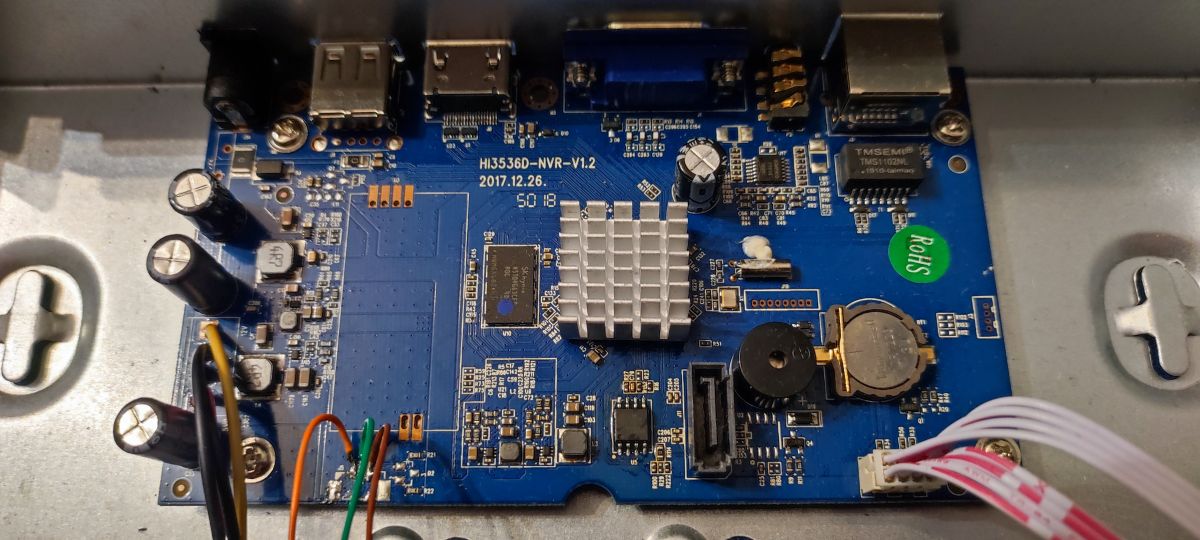
Jeśli tematu umieściłem na złym forum prosze administratora o przekierowanie na włąściwy dział.