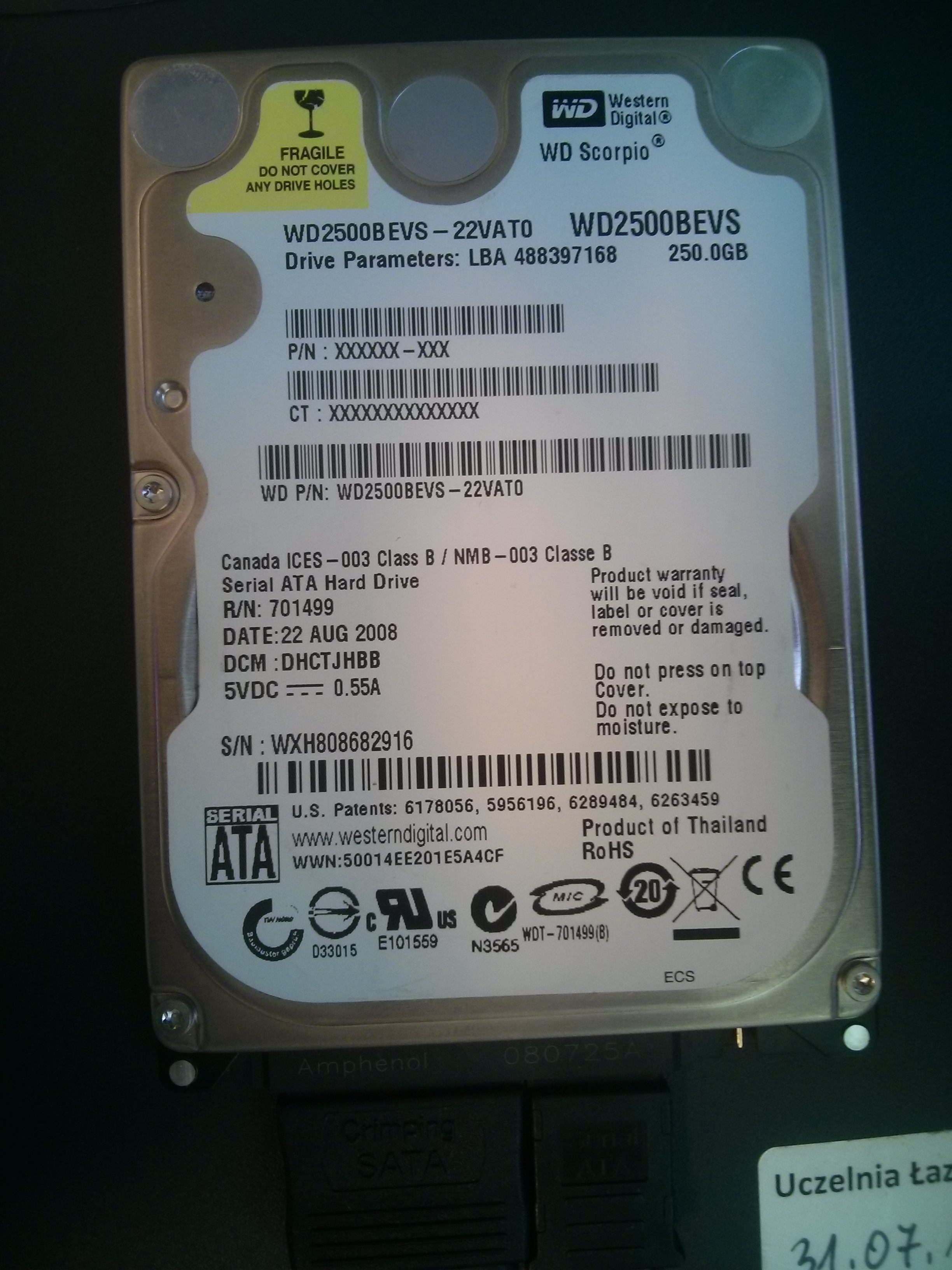
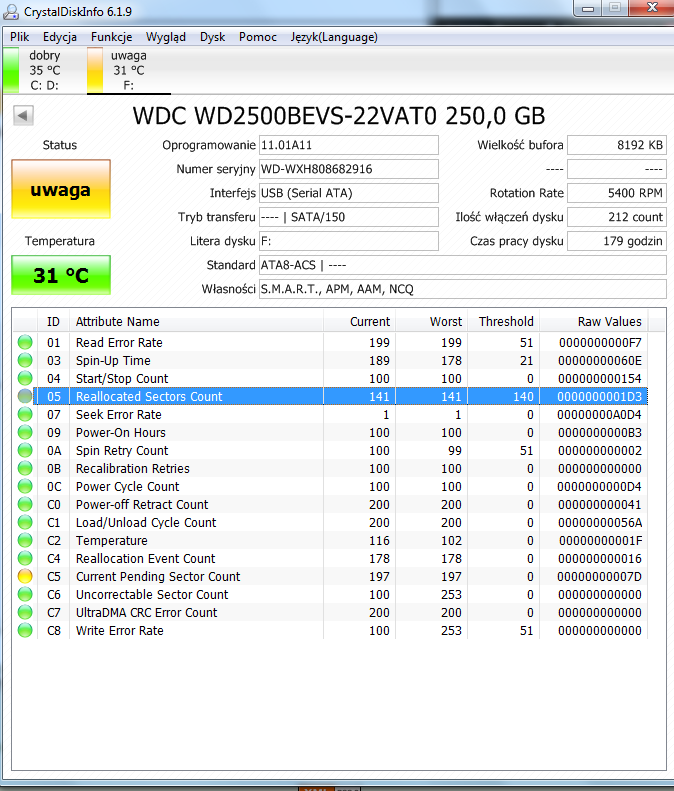
No nieciekawie ...
zaraz dodam z parted magic info ale chyba nic nie jestem w stanie zrobić ...
trup ...
i info z parted
smartctl 6.3 2014-07-26 r3976 [i686-linux-3.15.10-pmagic] (local build)
Copyright (C) 2002-14, Bruce Allen, Christian Franke, www.smartmontools.org
=== START OF INFORMATION SECTION ===
Model Family: Western Digital Scorpio Blue Serial ATA
Device Model: WDC WD2500BEVS-22VAT0
Serial Number: WD-WXH808682916
LU WWN Device Id: 5 0014ee 201e5a4cf
Firmware Version: 11.01A11
User Capacity: 250,059,350,016 bytes [250 GB]
Sector Size: 512 bytes logical/physical
Rotation Rate: 5400 rpm
Device is: In smartctl database [for details use: -P show]
ATA Version is: ATA8-ACS (minor revision not indicated)
SATA Version is: SATA 2.5, 1.5 Gb/s
Local Time is: Sat Oct 4 15:31:25 2014 CEST
SMART support is: Available - device has SMART capability.
SMART support is: Enabled
=== START OF READ SMART DATA SECTION ===
SMART overall-health self-assessment test result: PASSED
General SMART Values:
Offline data collection status: (0x00) Offline data collection activity
was never started.
Auto Offline Data Collection: Disabled.
Self-test execution status: ( 0) The previous self-test routine completed
without error or no self-test has ever
been run.
Total time to complete Offline
data collection: ( 9180) seconds.
Offline data collection
capabilities: (0x7b) SMART execute Offline immediate.
Auto Offline data collection on/off support.
Suspend Offline collection upon new
command.
Offline surface scan supported.
Self-test supported.
Conveyance Self-test supported.
Selective Self-test supported.
SMART capabilities: (0x0003) Saves SMART data before entering
power-saving mode.
Supports SMART auto save timer.
Error logging capability: (0x01) Error logging supported.
General Purpose Logging supported.
Short self-test routine
recommended polling time: ( 2) minutes.
Extended self-test routine
recommended polling time: ( 109) minutes.
Conveyance self-test routine
recommended polling time: ( 5) minutes.
SCT capabilities: (0x303f) SCT Status supported.
SCT Error Recovery Control supported.
SCT Feature Control supported.
SCT Data Table supported.
SMART Attributes Data Structure revision number: 16
Vendor Specific SMART Attributes with Thresholds:
ID# ATTRIBUTE_NAME FLAG VALUE WORST THRESH TYPE UPDATED WHEN_FAILED RAW_VALUE
1 Raw_Read_Error_Rate 0x002f 199 199 051 Pre-fail Always - 164
3 Spin_Up_Time 0x0027 195 178 021 Pre-fail Always - 1225
4 Start_Stop_Count 0x0032 100 100 000 Old_age Always - 342
5 Reallocated_Sector_Ct 0x0033 141 141 140 Pre-fail Always - 467
7 Seek_Error_Rate 0x002e 146 145 000 Old_age Always - 447
9 Power_On_Hours 0x0032 100 100 000 Old_age Always - 177
10 Spin_Retry_Count 0x0033 099 098 051 Pre-fail Always - 5
11 Calibration_Retry_Count 0x0032 100 100 000 Old_age Always - 0
12 Power_Cycle_Count 0x0032 100 100 000 Old_age Always - 213
192 Power-Off_Retract_Count 0x0032 200 200 000 Old_age Always - 66
193 Load_Cycle_Count 0x0032 200 200 000 Old_age Always - 1388
194 Temperature_Celsius 0x0022 116 102 000 Old_age Always - 31
196 Reallocated_Event_Count 0x0032 180 180 000 Old_age Always - 20
197 Current_Pending_Sector 0x0032 197 197 000 Old_age Always - 137
198 Offline_Uncorrectable 0x0030 100 253 000 Old_age Offline - 0
199 UDMA_CRC_Error_Count 0x0032 200 200 000 Old_age Always - 0
200 Multi_Zone_Error_Rate 0x0009 100 253 051 Pre-fail Offline - 0
SMART Error Log Version: 1
ATA Error Count: 392 (device log contains only the most recent five errors)
CR = Command Register [HEX]
FR = Features Register [HEX]
SC = Sector Count Register [HEX]
SN = Sector Number Register [HEX]
CL = Cylinder Low Register [HEX]
CH = Cylinder High Register [HEX]
DH = Device/Head Register [HEX]
DC = Device Command Register [HEX]
ER = Error register [HEX]
ST = Status register [HEX]
Powered_Up_Time is measured from power on, and printed as
DDd+hh:mm:SS.sss where DD=days, hh=hours, mm=minutes,
SS=sec, and sss=millisec. It "wraps" after 49.710 days.
Error 392 occurred at disk power-on lifetime: 177 hours (7 days + 9 hours)
When the command that caused the error occurred, the device was active or idle.
After command completion occurred, registers were:
ER ST SC SN CL CH DH
-- -- -- -- -- -- --
40 51 01 6f 59 1c e0 Error: UNC 1 sectors at LBA = 0x001c596f = 1857903
Commands leading to the command that caused the error were:
CR FR SC SN CL CH DH DC Powered_Up_Time Command/Feature_Name
-- -- -- -- -- -- -- -- ---------------- --------------------
25 03 01 6f 59 1c 1d 00 00:01:42.719 READ DMA EXT
25 03 01 6e 59 1c 1d 00 00:01:39.427 READ DMA EXT
25 03 01 6d 59 1c 1d 00 00:01:36.264 READ DMA EXT
25 03 01 6c 59 1c 1d 00 00:01:32.909 READ DMA EXT
25 03 01 6b 59 1c 1d 00 00:01:29.145 READ DMA EXT
Error 391 occurred at disk power-on lifetime: 177 hours (7 days + 9 hours)
When the command that caused the error occurred, the device was active or idle.
After command completion occurred, registers were:
ER ST SC SN CL CH DH
-- -- -- -- -- -- --
01 51 01 6e 59 1c e0 Error: AMNF 1 sectors at LBA = 0x001c596e = 1857902
Commands leading to the command that caused the error were:
CR FR SC SN CL CH DH DC Powered_Up_Time Command/Feature_Name
-- -- -- -- -- -- -- -- ---------------- --------------------
25 03 01 6e 59 1c 1d 00 00:01:39.427 READ DMA EXT
25 03 01 6d 59 1c 1d 00 00:01:36.264 READ DMA EXT
25 03 01 6c 59 1c 1d 00 00:01:32.909 READ DMA EXT
25 03 01 6b 59 1c 1d 00 00:01:29.145 READ DMA EXT
25 03 01 6a 59 1c 1d 00 00:01:25.831 READ DMA EXT
Error 390 occurred at disk power-on lifetime: 177 hours (7 days + 9 hours)
When the command that caused the error occurred, the device was active or idle.
After command completion occurred, registers were:
ER ST SC SN CL CH DH
-- -- -- -- -- -- --
40 51 01 6d 59 1c e0 Error: UNC 1 sectors at LBA = 0x001c596d = 1857901
Commands leading to the command that caused the error were:
CR FR SC SN CL CH DH DC Powered_Up_Time Command/Feature_Name
-- -- -- -- -- -- -- -- ---------------- --------------------
25 03 01 6d 59 1c 1d 00 00:01:36.264 READ DMA EXT
25 03 01 6c 59 1c 1d 00 00:01:32.909 READ DMA EXT
25 03 01 6b 59 1c 1d 00 00:01:29.145 READ DMA EXT
25 03 01 6a 59 1c 1d 00 00:01:25.831 READ DMA EXT
25 03 01 69 59 1c 1d 00 00:01:22.738 READ DMA EXT
Error 389 occurred at disk power-on lifetime: 177 hours (7 days + 9 hours)
When the command that caused the error occurred, the device was active or idle.
After command completion occurred, registers were:
ER ST SC SN CL CH DH
-- -- -- -- -- -- --
40 51 01 6c 59 1c e0 Error: UNC 1 sectors at LBA = 0x001c596c = 1857900
Commands leading to the command that caused the error were:
CR FR SC SN CL CH DH DC Powered_Up_Time Command/Feature_Name
-- -- -- -- -- -- -- -- ---------------- --------------------
25 03 01 6c 59 1c 1d 00 00:01:32.909 READ DMA EXT
25 03 01 6b 59 1c 1d 00 00:01:29.145 READ DMA EXT
25 03 01 6a 59 1c 1d 00 00:01:25.831 READ DMA EXT
25 03 01 69 59 1c 1d 00 00:01:22.738 READ DMA EXT
25 03 01 68 59 1c 1d 00 00:01:19.500 READ DMA EXT
Error 388 occurred at disk power-on lifetime: 177 hours (7 days + 9 hours)
When the command that caused the error occurred, the device was active or idle.
After command completion occurred, registers were:
ER ST SC SN CL CH DH
-- -- -- -- -- -- --
40 51 01 6b 59 1c e0 Error: UNC 1 sectors at LBA = 0x001c596b = 1857899
Commands leading to the command that caused the error were:
CR FR SC SN CL CH DH DC Powered_Up_Time Command/Feature_Name
-- -- -- -- -- -- -- -- ---------------- --------------------
25 03 01 6b 59 1c 1d 00 00:01:29.145 READ DMA EXT
25 03 01 6a 59 1c 1d 00 00:01:25.831 READ DMA EXT
25 03 01 69 59 1c 1d 00 00:01:22.738 READ DMA EXT
25 03 01 68 59 1c 1d 00 00:01:19.500 READ DMA EXT
25 03 08 08 00 00 00 00 00:01:16.549 READ DMA EXT
SMART Self-test log structure revision number 1
No self-tests have been logged. [To run self-tests, use: smartctl -t]
SMART Selective self-test log data structure revision number 1
SPAN MIN_LBA MAX_LBA CURRENT_TEST_STATUS
1 0 0 Not_testing
2 0 0 Not_testing
3 0 0 Not_testing
4 0 0 Not_testing
5 0 0 Not_testing
Selective self-test flags (0x0):
After scanning selected spans, do NOT read-scan remainder of disk.
If Selective self-test is pending on power-up, resume after 0 minute delay.