To nie jest pelny obraz Romu - to jakiś jakiś obrzyn
Zdumpuj obraz z działającego PDA.
Procedura poniżej.
Soft OSloader też.
Let’s do the backup of your current Mio 168
And so, we need to make a backup of the current firmware (ROM) that is already in your Mio’s brain. For me personally, i had bad history with updating my mother board’s BIOS earlier, and my Nokia communicator firmware also. So i won’t pass on the backup and will do everything possible to have a backup before playing with EEPROM files.
While there are quiet a good number of web pages explaining how this can be done, the best was at lesswire.info, i liked their way of explaining it for different software (backup tools). The BosstBlaster version they provided did not work on my Mio and as i far as i know it won’t work at all. So i stuck with the osLoader you downloaded before.
The OSLoader is the utility you will need to backup your Mio ROM, which is 32MB in size. And as the OSLoader does not support backing up to and type of MMC/SD cards, you will need an alternative. The alternative is backing it up to the storage device of the Mio itself. Yeah i know it does not have that amount of free space but the OSLoader utility has a special way around this.
Upload the OSLoader file to your Mio PocketPC and remember where you uploaded it. It does not need to be installed, just connect your PPC to your PC using ActiveSync, browse to your PPC and drop the OSLoader file you downloaded somewhere so that you can find it after a couple of minutes.
Now, (keep the PPC connected) browse to that location using your file manager and run the OSLoader file you just uploaded. The application will open with nothing special to notice. It will look similar to the screenshot shown below:
Go to Tools -> Flash -> 32 Save to files
A warning message will appear, tap the OK button and keep waiting until you hear a beep from your Mio PPC, do not try to do anything with your PPC even if it seems it froze, it didn’t. Just keep waiting until you hear the beep.
When you hear the first beep, a warning message will show up on your PPC screen, do not touch it. Go and browse your PPC from your computer again. In the root folder of your Mio device there will be a file named flash_00000000.bin - cut and paste that 4MB file to somewhere safe on your PC.
This 4096KB (4MB) file is the first of 8 chuncks that OSLoader will generate. 8×4=32MB..
Now, and as you have removed that file from your Mio’s root folder to your PC, there is enough space again for another 4MB file, correct? That’s rights, now you can tap the OK button on your PPC warning message and PSLoader will start generating the second chunk that will also be 4MB in size and will hold the name flash_00400000.bin - Again, you shall be idle and wait for the beep that the device will play to alert you that a new chunk is ready.
Keep doing that operation until the OSLoader application finishes generating the 8 chunks, that will hold the following names:
flash_00000000.bin
flash_00400000.bin
flash_00800000.bin
flash_00c00000.bin
flash_01c00000.bin
flash_01400000.bin
flash_01000000.bin
flash_01800000.bin
When all the eight chunks are safe on your computer, you still need to compile them (actually compress them) into one EEPROM file, which can be dome by issuing the following command from a DOS window:
copy /b flash_00000000.bin + /b flash_00400000.bin + /b flash_00800000.bin + /b flash_00c00000.bin + /b flash_01000000.bin + /b flash_01400000.bin + /b flash_01800000.bin + /b flash_01c00000.bin /b ROM_Image.ppcrom
If you are unfamiliar with DOS and/or you feel a little unconfortable with the command above, just create a new file in the same folder and call it makerom.bat, and enter the line above in that file, save it, then just double click it. A new file will appear in that folder called ROM_Image.ppcrom and it will be exactly 32MB in size. That is 33554432 bytes.
Congratulations, you just backed up the original EPROM of your Mio 168 and can go ahead to play with it as you want or just head straigh to firmware update without fearing that it might become unusable. In such case, you just need to reprogram it with that backup you just did and start over.
Załączniki:
-
osloader-1.5.6.exe
(227.5 KB)
Musisz być zalogowany, aby pobrać ten załącznik.







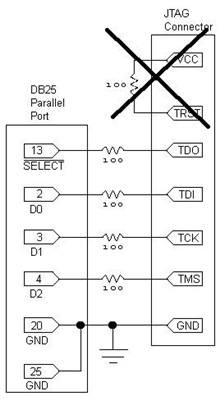
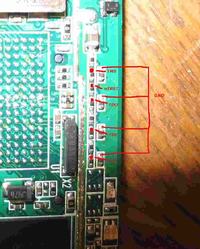
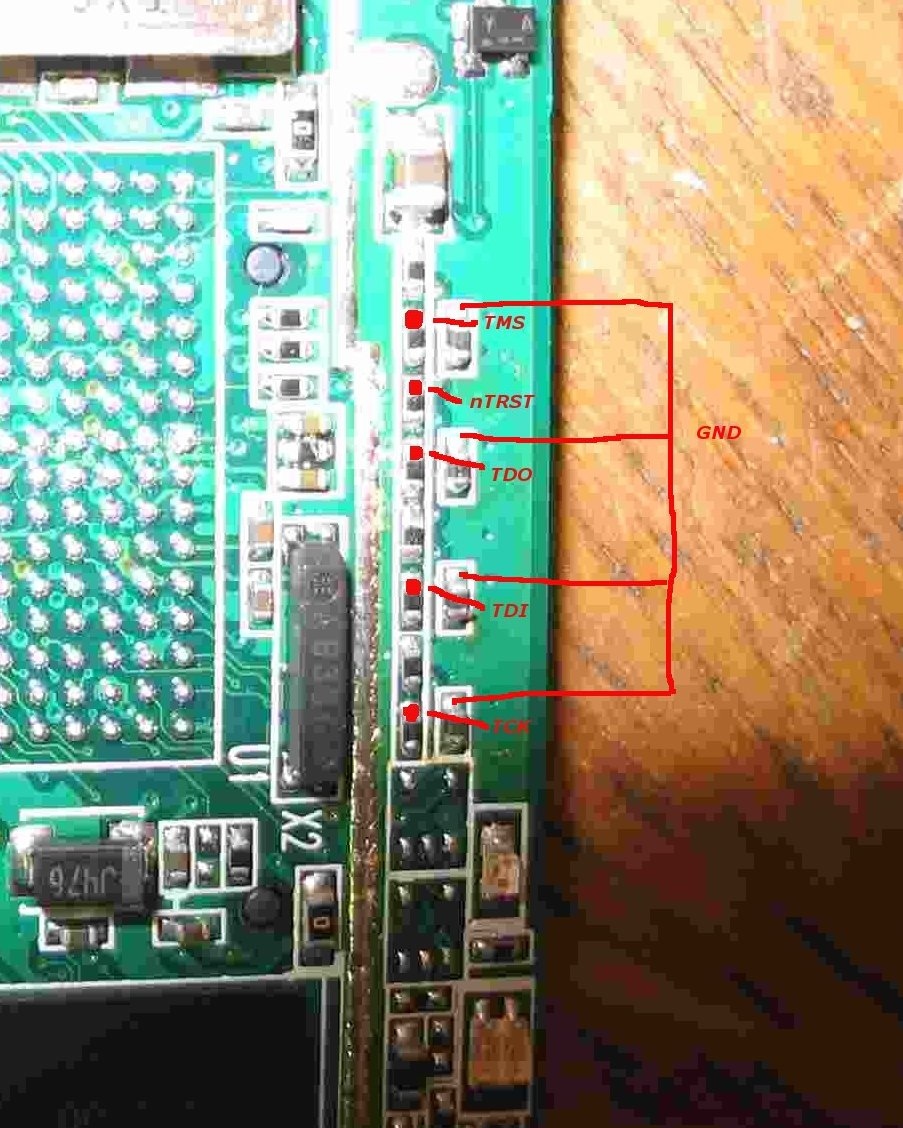


 pozostaje Itag ????

 .
.
