Jakie powinny być napięcia na stykach wyjściowej wtyczki od zasilacza do MacBook Air?
Zasilacz ma oznaczenia:
45W MagSafe
14,5V 3,1A
SAFETY MARK
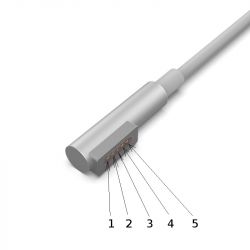
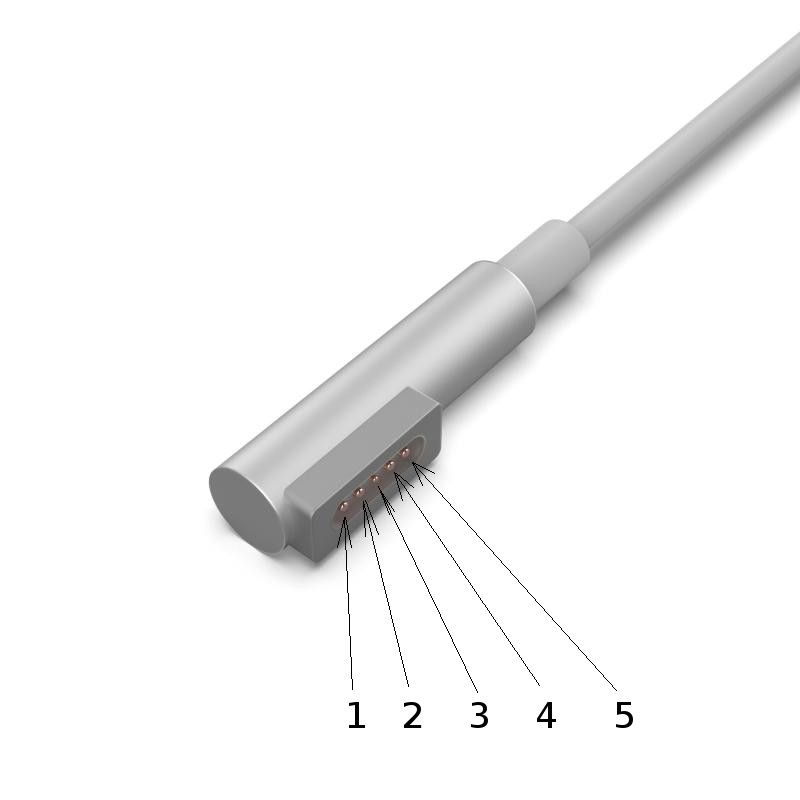
Wtyczka wygląda tak:
p.s
MagSafe 45 W (MacBook Air), 60 W (MacBook) oraz 85 W (MacBook Pro)
MagSafe 2 dla MacBook Pro *ekran Retina) i na MacBook Air 2012
Cytat:
Pinout
The MagSafe connector pins allow for the adapter to be inserted in either of two orientations. The first and second pins on each side of the tiny central pin have continuity with their mirror pins.
-The inner large pins are V+ (14.5 / 16.5 / 18.5 / 20 V DC). Measuring with no load will give 6.86 V DC for MagSafe and about 3 V DC for MagSafe 2; the full voltage is provided after a ~40 kOhm load is applied for one second.
-The outer large pins are ground.
-The tiny center pin is a data pin using the 1-Wire protocol. The computer uses this pin to change the LED’s color and retrieve the serial number and wattage of the power supply.
-Only two wires – power and ground – go to the charger unit. There is no data communication via the adapter sense pin with the charger unit itself.
-The maximum voltage supplied is as follows:
14.5 V DC for the 45 W units supplied with MacBook Air
16.5 V DC for the 60 W units supplied with MacBook and 13" MacBook Pro
18.5 V DC for the 85 W units supplied with 15" and 17" MacBook Pro
20 V DC for the 85 W units supplied with 15" MacBook Pro Retina
-The rectangular metal shroud surrounding the pins acts as shielding for the electrical pins and a ferrous attractor for the magnet in the laptop.
- Wewnętrzne Duże styki V +(14,5 / 16,5 / 18,5 / 20 DC). Pomiar bez obciążenia dałby 6,86 V DC dla MagSafe i około 3 V DC dla MagSafe 2; pełne napięcie jest przyłożone po przyłożeniu obciążenia ~ 40k przez jedną sekundę.
Dziękuję bardzo.
U mnie między 1 a 2 oraz między 4 i 5 jest 0,37V.
Między magnesem (to pewnie masa) a 2 jest też 0,37V. Między 4 i magnesem - to samo.
Czy z doświadczenia, na podstawie tych objawów, da się przewidzieć co może być uszkodzone w zasilaczu?
Zasilacz jest zapewne klejony.
Czy można go w miarę łatwo otworzyć, czy klejenie jest tak mocne, że na 100% zniszczyć trzeba obudowę, aby dostać się do środka?
Niedługo zmierzę ciągłość żył w przewodzie, ale jeszcze jedno pytanie.
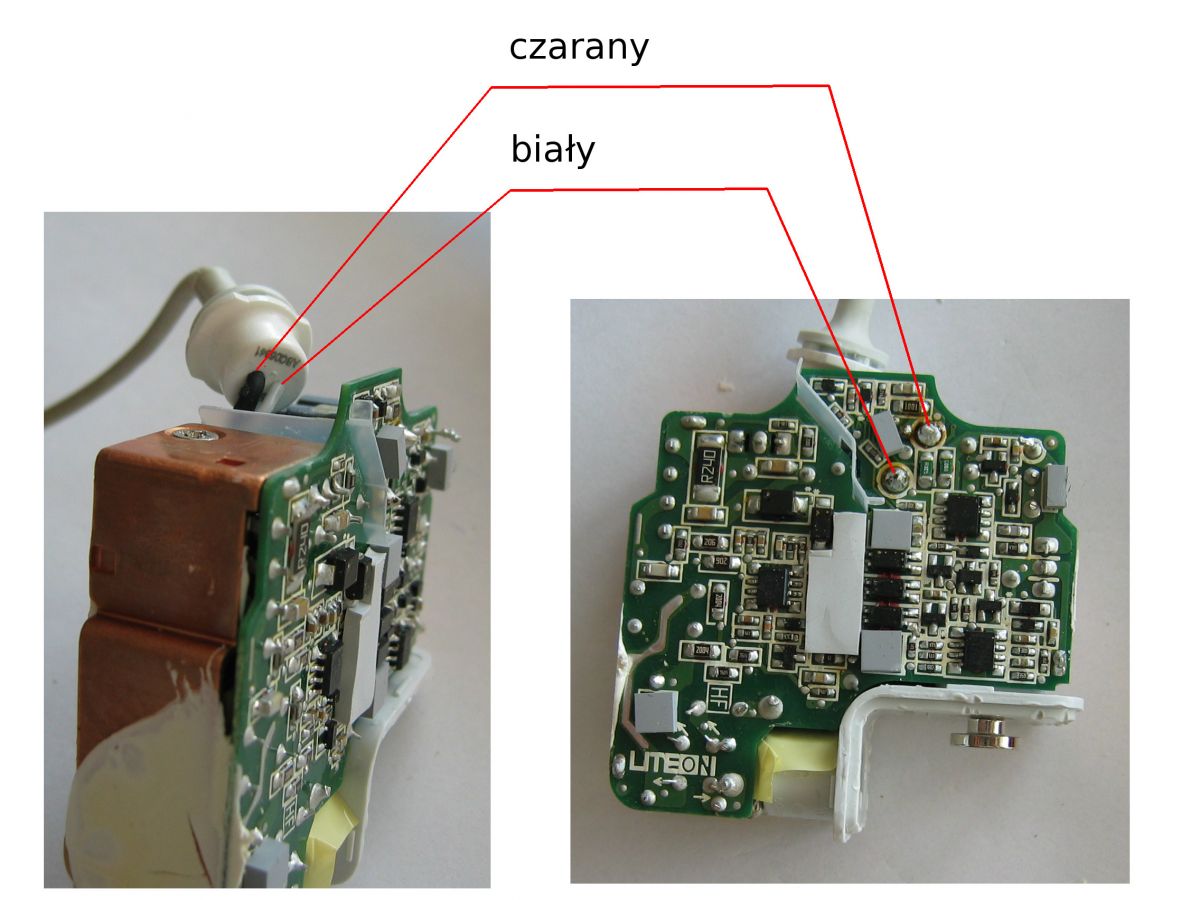
Jak to możliwe, że są tylko dwie żyły (poniżej obrazek), skoro jest 5 pinów we wtyczce?
Dwa są od "+", dwa od "-" i środkowy od danych.
Sprawdziłem multimetrem ciągłość żył.
(1 z lewej strony wyświetlacza oznacza brak jakiejkolwiek ciągłości. wyniki pomiarów są po prawej stronie wyświetlacza)
Między końcówką czarnej żyły (odlutowanej) z zasilacza, a pinami 1 i 5 na multimetrze jest wartość 002 (po prawej stronie) i piszczy. Czyli jest ciągłość.
Między końcówką białej żyły (nieodlutowanej) z zasilacza, a pinami 2 i 4 na multimetrze jest wartość 002 (po prawej stronie) i piszczy. Czyli jest ciągłość.
Między końcówką czarnej żyły (odlutowanej) z zasilacza, a pinem 3 na multimetrze jest wartość 777 (po prawej stronie) i nie piszczy.
Między końcówką białej żyły (nieodlutowanej) z zasilacza, a pinem 3 na multimetrze jest wartość 1 (po lewej stronie). Czyli brak ciągłość.
Dodano po 1 [godziny] 18 [minuty]:
O ile dobrze zrozumiałem, to obsługa środkowego pinu (nr 3) jest w samej wtyczce.
Wtyczka u mnie jest typu L, a nie T jak w artykule, ale może w niej też jest jakiś układ.
Czyli faktycznie można by połączyć inny zasilacz kablem z tą wtyczką i zostałby on wykryty jako oryginalny, bo dane są zapisane na chipie we wtyczce.
W każdym razie wygląda na to, że coś jest z zasilaczem, bo żyły w przewodzie są nieprzerwane.
Czy to na pewno jest problem wtyczki z pięcioma pinami, a nie zasilacza?
W stanie bez obciążenia powinno być napięcie 6,86V, a u mnie jest 0,37V.
Zmierzyłem napięcie na wyjściu zasilacza, czyli tam gdzie są przylutowane żyły od kabla z wtyczką.
Mierzyłem, gdy jedna żyła była odlutowana i było 0 V.
"Proces uruchamiania ładowarki
Gdy złącze Magsafe jest podłączone do komputera Mac, dzieje się o wiele więcej, niż można by się spodziewać. Uważam, że mają miejsce następujące kroki:
Ładowarka zapewnia bardzo niski prąd (około 100 μA) sygnał 6 V na pinach zasilania (3 V dla Magsafe 2).
Gdy złącze Magsafe jest podłączone do komputera Mac, komputer Mac przykłada obciążenie rezystancyjne (np. 39,41 kΩ), obniżając pobór mocy do około 1,7 V.
Ładowarka wykrywa, że pobór mocy został obniżony, ale nie za niski. (Krótkie lub znaczne obciążenie nie włączy ładowarki.) Dokładnie po jednej sekundzie ładowarka przełącza się na pełne napięcie (od 14,85 do 20 woltów w zależności od modelu i mocy). Wewnątrz ładowarki znajduje się 16-bitowy mikroprocesor, który steruje tą i innymi funkcjami ładowarki.
Komputer Mac wykrywa pełne napięcie na wejściu zasilania i odczytuje identyfikator ładowarki za pomocą protokołu 1-Wire.
Jeśli Mac jest zadowolony z identyfikatora ładowarki, przełącza wejście zasilania na wewnętrzny obwód konwersji mocy i zaczyna korzystać z mocy wejściowej. Komputer Mac włącza odpowiednią diodę LED na złączu przy użyciu protokołu 1-Wire.
Ten proces wyjaśnia, dlaczego po podłączeniu ładowarki występuje sekundowe opóźnienie, zanim lampka się zaświeci, a komputer wskaże, że bateria się ładuje. Wyjaśnia również, dlaczego jeśli zmierzysz moc wyjściową ładowarki woltomierzem, nie znajdziesz dużego napięcia. "
Dziękuję bardzo.
No tak, czyli mogę spróbować wymienić kabel, ale jak się okaże, że to nic nie da, to będzie trzeba kupić nowy zasilacz.
Czyli pomimo że - zgodnie z sugestią - przedzwoniłem kabel i wyszło, że nie ma przerw, to i tak to nic nie dało.
✨ Użytkownik pyta o napięcia na stykach wyjściowej wtyczki zasilacza 45W MagSafe do MacBook Air, wskazując, że zmierzone napięcia wynoszą 0,37V zamiast oczekiwanych 6,86V. W odpowiedziach sugerowane jest, że problem może leżeć w uszkodzeniu kabla lub wtyczki, a także w samej ładowarce. Użytkownik dowiaduje się, że zasilacze te można łatwo rozebrać, a także że wtyczka z pięcioma pinami może mieć różne funkcje, w tym przesyłanie danych. Po przeprowadzeniu pomiarów ciągłości żył, użytkownik stwierdza, że niektóre żyły działają, a inne nie, co sugeruje problem z wtyczką. W końcu, użytkownik rozważa wymianę kabla, ale obawia się, że może to nie rozwiązać problemu, co może prowadzić do konieczności zakupu nowego zasilacza. Wygenerowane przez model językowy.