ListUsbDrives V5.2.6.0 (Win32)
Lists attached USB drives and their USB port names for USBDLM
Freeware by Uwe Sieber - www.uwe-sieber.de
Can use the file usb.ids from
http://www.linux-usb.org/usb.ids for USB device information
(put the usb.ids file in the same folder as the ListUsbDrives.exe)
Using output codepage 437
======================= My Computer ========================
Operating System = Microsoft Windows XP: NT5.1 Build 2600 SP3 type=1 suite=100 Win32
Computer Name = PATRYK-16E18E69
Current User = Patryk
LogonType = local
Member of grp 0 = Administrators (S-1-5-32-544)
Member of grp 1 = Users (S-1-5-32-545)
Member of grp 2 = Authenticated Users (S-1-5-5-0-52145)
Admin previleges = yes
USB Floppies = 0
USB Disks = 0
USB CdRoms = 0
USB Storage Vols = 0
File System Drivers:
Cdfs = RUNNING
Udfs = STOPPED
Fastfat = RUNNING
Ntfs = RUNNING
exFat = STOPPED
====================== Storage Volumes ======================
-------- Storage Volume on Disk 1 in Partition 1 -------
MountPoint = E:\
Volume Status = not mounted
Volume Size = 15.5 GB / 14.4 GiB / 15,500,574,720 Bytes
Volume Serial = ---
File System Flags = -
Volume Name = \\?\Volume{976b0030-8f61-11e6-ba16-00a1b0019c89}\
KernelName = \Device\Harddisk1\DP(1)0-0+3
Writable = yes
Partition Name = \Device\Harddisk1\Partition1
Partition Type = all zero
Partition Start = 0x0
Partition Length = 0x39BE80000 (15.5 GB / 14.4 GiB / 15,500,574,720 Bytes)
Disk Size = 15.5 GB
Disk Geometry = 1884 Cylinders, 255 Heads, 63 Sectors per Track, 512 Bytes per Sector
Disk Signature = 00000000
Drive Type = removable
Bus Type = USB
Device Types = AllZero
DeviceID = STORAGE\REMOVABLEMEDIA\7&7132BA8&0&RM
DeviceID Drive = USBSTOR\DISK&VEN_TOSHIBA&PROD_TRANSMEMORY&REV_1.00\C412F52D6C9DC021000746EC&0
DeviceID USB = USB\VID_0930&PID_6544\C412F52D6C9DC021000746EC
Device ID HostCtl = PCI\VEN_1039&DEV_7001&SUBSYS_0A141019&REV_07\3&61AAA01&0&13
Host Controller = SiS 7001 PCI to USB Open Host Controller
DevicePath = \\?\storage#removablemedia#7&7132ba8&0&rm#{53f5630d-b6bf-11d0-94f2-00a0c91efb8b}
Requested Power = 200 mA (bus powered)
USB Version = 2.0
USB Friendly Name = TOSHIBA TransMemory
USB Serial = C412F52D6C9DC021000746EC
USB Port Name old = 2-1
======================= Disk Devices ========================
-------------------------- Disk 0 --------------------------
Disk Size = 40 GB / 37.3 GiB / 40,020,664,320 Bytes
Disk Geometry = 4865 Cylinders, 255 Heads, 63 Sectors per Track, 512 Bytes per Sector
Disk Writable = yes
Volume Count = 1
PartitionTable = MBR
Partition Count = 0
Bus Type = ATA
Location = 1
Parent Location = Primary Channel
Drive Type = fixed
Device Types = untested
Device ID = IDE\DISKST340016A_______________________________3.10____\4833345336543137202020202020202020202020
Device ID Ctrl = PCIIDE\IDECHANNEL\4&3AA0BE61&0&0
Device ID AtaCtrl = PCI\VEN_1039&DEV_5513&SUBSYS_55131039&REV_D0\3&61AAA01&0&15
Host Controller = SiS 5513 IDE UDMA Controller
KernelNames = \Device\Harddisk0\DR0, \Device\Ide\IdeDeviceP0T1L0-3, \Device\Ide\IdePort0
Win32 Devices = \\.\PhysicalDrive0, \\.\Scsi0:
DevicePath = \\?\ide#diskst340016a_______________________________3.10____#4833345336543137202020202020202020202020#{53f56307-b6bf-11d0-94f2-00a0c91efb8b}
Capabilities = 0x10 (UniqueID)
Removal Policy = no removal
Friendly Name = ST340016A
Port Name = 1
-------------------------- Disk 1 --------------------------
Disk Size = 15.5 GB / 14.4 GiB / 15,500,574,720 Bytes
Disk Geometry = 1884 Cylinders, 255 Heads, 63 Sectors per Track, 512 Bytes per Sector
Disk Writable = yes
Volume Count = 1
Partition Count = no partition table
Bus Type = USB
Drive Type = removable
Device Types = AllZero
Device ID = USBSTOR\DISK&VEN_TOSHIBA&PROD_TRANSMEMORY&REV_1.00\C412F52D6C9DC021000746EC&0
Device ID USB = USB\VID_0930&PID_6544\C412F52D6C9DC021000746EC
Device ID HostCtl = PCI\VEN_1039&DEV_7001&SUBSYS_0A141019&REV_07\3&61AAA01&0&13
Host Controller = SiS 7001 PCI to USB Open Host Controller
USB Speed = Full-Speed
USB Dev Max Speed = High-Speed
KernelNames = \Device\Harddisk1\DR2, \Device\00000060
Win32 Device = \\.\PhysicalDrive1
DevicePath = \\?\usbstor#disk&ven_toshiba&prod_transmemory&rev_1.00#c412f52d6c9dc021000746ec&0#{53f56307-b6bf-11d0-94f2-00a0c91efb8b}
Capabilities = 0x10 (UniqueID)
Removal Policy = surprise removal ('Optimize for quick removal')
Friendly Name = TOSHIBA TransMemory USB Device
Requested Power = 200 mA (bus powered)
USB Version = 2.0
USB Friendly Name = TOSHIBA TransMemory
USB Serial = C412F52D6C9DC021000746EC
USB Port Name old = 2-1
Press any key to close
Dodano po 51 [sekundy]:
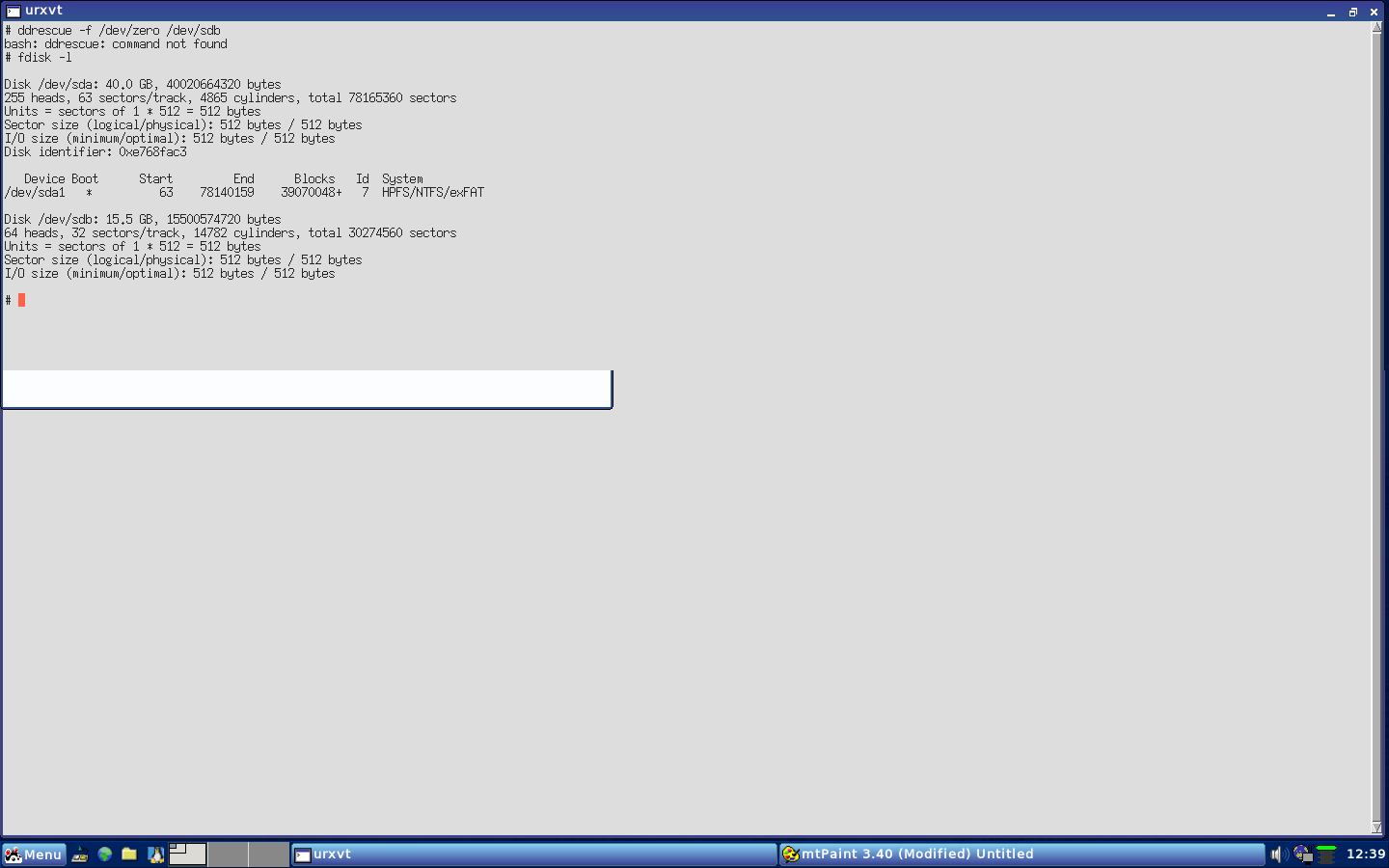
linuks napisał: Próbowałeś wyzerować początek pena i ponownie założyć tablicę partycji i partycję ?
U mnie pomogło w takiej sytuacji.
Pozdrawiam.
Powiedz mi jeszcze jak to zrobic bo nie mam pojecia.






 Zachodze dzisiaj a ten czlowiek mowi mi, ze pendrive byl ale zaginal, nie wiadomo czy zostal sprzedany przez przypadek czy co... Ludzie w jakim kraju ja zyje. Domagalem sie drugiego to chcial mi dac ale Toshiby nie bylo byly inne drozsze. Powiedzial, ze zamowi i znowu zadzwoni. Chociaz i tak zapewne tego nie zrobi. Zdenerwowalem sie trzasnalem drzwiami i wyszedlem

