laptokowiec napisał: Gdyby chodziło tu o odzyskiwanie danych, to zrozumiałbym, że temat angażuje od 3 tygodni ,ale taki Kingston kosztuje 20-30 zł, więc po co to marnowanie czasu.
Mój to akurat "Pendrive KINGSTON DataTraveler Exodia 256GB Czarny "czyli całe 76,29 w żółtym elektrosupermarkecie

ale przecież tu nie chodzi tylko o kasę - ale o challenge, o wiedzę, trochę też o rozrywkę i może nawet ekologię (jeśli coś można naprawić zamiast wyrzucać i kupować nowy gadżet)
Peace!
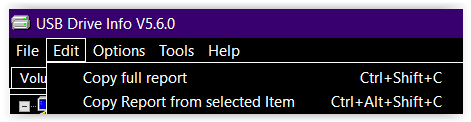
Dodano po 6 [minuty]: pidar napisał: @Yarpen_Zigrin Dodaj log o tym urządzeniu z programu USB Drive Info
========== Storage Volume on Disk 3 in Partition 1 ==========
MountPoint = G:\
Volume Label = ---
Volume Status = mounted
Volume Length = 247,4 GB / 230,4 GiB / 247 427 125 248 Bytes
Volume Size = 247,4 GB / 230,4 GiB / 247 366 680 576 Bytes
Volume Free = 127,1 GB / 118,4 GiB / 127 113 166 848 Bytes / 51%
File System = FAT32, 32 KB clusters
Volume Serial = 6FCA-12F0
File System Flags = CASE_PRESERVED_NAMES, UNICODE_ON_DISK, RETURNS_CLEANUP_RESULT_INFO, SUPPORTS_ENCRYPTION, READ_ONLY_VOLUME
Device Path = \\?\STORAGE#Volume#_??_USBSTOR#Disk&Ven_Kingston&Prod_DataTraveler_3.0&Rev_#E0D55E629FE4F69188540179&0#{53f56307-b6bf-11d0-94f2-00a0c91efb8b}#{53f5630d-b6bf-11d0-94f2-00a0c91efb8b} (GUID_DEVINTERFACE_VOLUME)
Volume Name = \\?\Volume{febc0d3c-bef7-11ee-9ad2-a4d7bd2d4058}\
Win32 Device Name = \\.\HarddiskVolume6
KernelName = \Device\HarddiskVolume6
Writable = no
Partition Device = \\.\Harddisk3Partition1
Partition Type = NTFS (0x07)
Partition Start = 0x2000000
Partition Length = 0x399BCE5000 (247,4 GB / 230,4 GiB / 247 427 125 248 Bytes)
Partition Align = 32 M
1st Cluster Align = 128 K
Drive Type = removable
Bus Type = USB
Device Types = RemovableMedia
FS Write Cache = no
++++++++++++++++ Registry Volume Flags ++++++++++++++++
HKLM\SOFTWARE\Microsoft\Windows\CurrentVersion\Explorer\DriveIcons\G\DefaultIcon
(default) : REG_SZ "C:\Program Files\PowerISO\PWRISOVM.EXE"






 ale pytanie jest proste - czy da się jakoś zweryfikować że to jest właśnie ten przypadek = wyrzucić pendrive'a do kosza - czy nie i kombinować dalej?